
CMB - CMB-3U
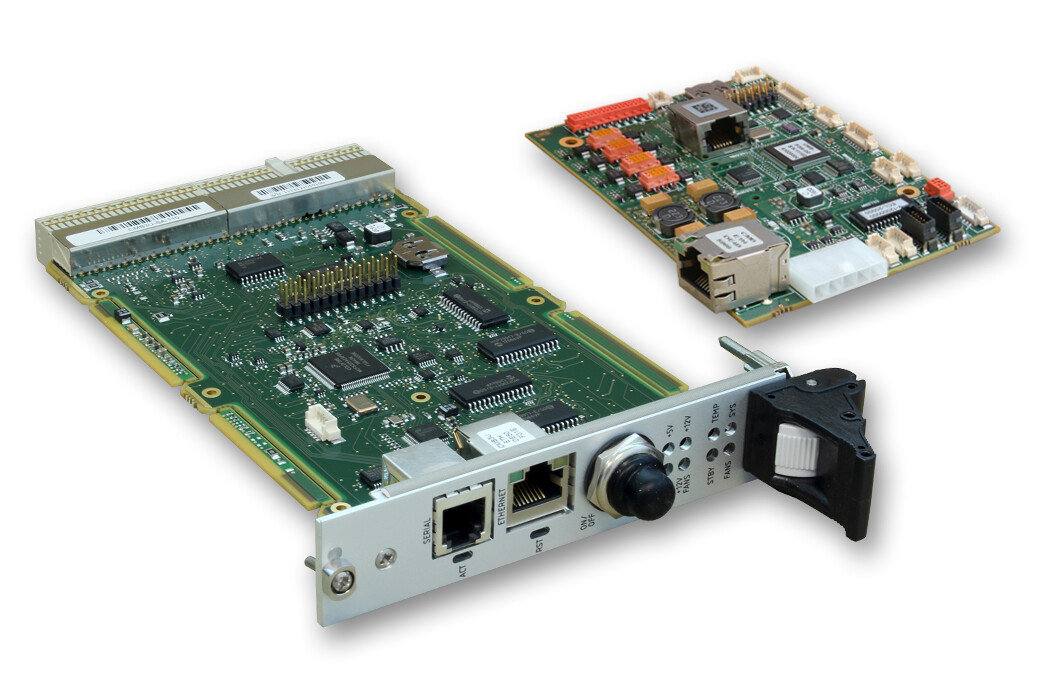
Chassis Monitoring Board
Specifications
- System monitoring and control of critical signals: temperature, fans, power supplies, board status and reset
- Alarm through chassis front panel LEDs, and SNMP notifications (trap or inform)
- Management through serial line, Telnet, HTTP, and SNMP
- Operating Temp.: -40°C to +85°C
- For use in VME, VPX and cPCI chassis
CMB (Chassis Monitoring Board) is the ideal board for simple and robust control and monitoring operations. The CMB is in charge of continuously watching and reporting critical vital signals of the system, and would trigger alarm in case of detection of abnormal values. CMB monitors and controls the chassis (temperatures, fans, power supplies, I/Os), and the CPU boards (status, reset). The entire system can be controlled remotely using a serial line or the network (Telnet, HTTP and SNMP), including power on/off and CPU boards individual reset. CMB can be used in Kontron VME, VPX or CompactPCI chassis.
Features
| Power Supply | 5V (4.5V to 6V) |
| Power Consumption | 200 mA |
| Mechanical Dimensions | 61.7mm x 76.6mm |
Downloads
技术参数
CMB datasheet
[ cmb_datasheet.pdf, 1.48 MB, Aug.31.2017 ]
参考手册
CMB - Chassis Monitoring Board User's Guide
[restrictions apply]
[ cadta82-7e-cmb-ug.pdf, 895.38 KB, Sep.11.2017 ]
CMB-3U - 3U Chassis Monitoring Board User's Guide
[restrictions apply]
[ cadtb11-2e-cmb3u-ug.pdf, 2.85 MB, Sep.19.2017 ]
General Safety Instruction
[ general-safety-instructions.pdf, 560.72 KB, Dec.16.2025 ]
驱动程序
CMB V3.0 MIB
[restrictions apply]
CMB MIB file for CMB V3.0. This file and the CMB hardware are part of KONTRON VXControl(tm)
[ cmb-mib-v3.txt, 21.86 KB, Jul.03.2018 ]
型录
VPX Folder 2011
[ folder_vpx_web_2011_11137.pdf, 544.64 KB, Jun.20.2023 ]
Services
Kontron Services Brochure
[ kontron-services-brochure.pdf, 8.9 MB, Dec.17.2020 ]
back
垂询信息
产品比较 (up to 5 products)
比较列表中没有产品。
Services
Take advantage of our full-service approach
To find out more about our services go to services pages
