






Windows 11 IoT
The latest platform with modern security, management, and UI features for fixed-purpose devices.


When you buy Windows IoT with Kontron, you get competitive pricing bundled with hands-on engineering guidance and technical support that fits your schedule.


The latest platform with modern security, management, and UI features for fixed-purpose devices.
A proven, OS designed for stability and flexibility in embedded systems.

Enterprise-grade server functionality tailored for edge devices.
Reliable data management and analytics built for secure, fixed-function solutions.
Learn your options for older Windows Embedded and IoT editions to keep existing devices running.
Build power-efficient and cost-effective with Windows IoT on ARM.
After learning about your device and goals, Kontron can recommend the best Windows IoT edition and provide pricing, quotes, and product details. If needed, we can also advise on upgrades, downgrades, and configuration.
Kontron will then initiate your CLA, which allows your company to purchase Windows IoT and download the OEM Preinstallation Kit (OPK). Once you accept the terms of the CLA, Microsoft must review and approve it. Apply For a CLA
Once your CLA is approved, you can now download the OPK in the Microsoft Software Order Center. Kontron will provide you with the necessary kit number and instructions to begin your image development using the OPK. During this step, Kontron can also offer support or development assistance with our OS Configuration services. What's in the OPK?
To complete licensing, you need to obtain a product key (EPKEA or PKEA). Once you apply the key and connect the device, Windows is activated and ready for use. You can also leave it in deferred activation, so you can activate the device later in production. EKPEA vs PKEA
Once your image is developed, you're ready to order the Certificate of Authenticity (COA) stickers from Kontron. These stickers are the proof of your license. You don't need to purchase your licenses until the products go into production. Available Products
As you prepare your device for market, there are two final requirements. First, each device must have a COA permanently affixed to prove it’s properly licensed. Second, as the OEM, you provide the first layer of support for the device and its operating system. How We Support You






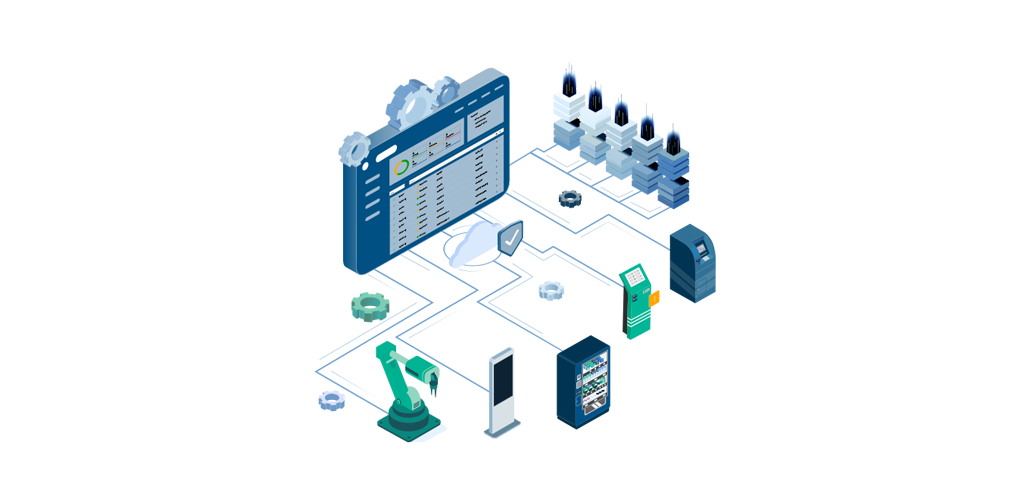
Simplify how you deploy, monitor, and maintain your Windows IoT devices at scale.
Streamline Deployment & Updates
Save IT Resources with Centralized Control
Keep Devices Secure and Compliant

Get guided instructions from Kontron experts or let us build your Windows IoT image for you.
Accelerate Time-to-Image
Save Your Team for Core Priorities
Build Confidently with Our Experts